AI-Trained Executive Assistants: How to Hire an EA Already Trained on AI Tools
Learn how to hire an AI-trained executive assistant. Compare AI-enabled EA workflows for inbox, calendar, research, meeting prep, travel, and reporting.
Written byFilip PesekFounder and Chief Executive Officer
PublishedJun 15, 2026
UpdatedJun 19, 2026
An AI-trained executive assistant is a human EA who is already proficient in the AI tools that matter for CEO workflows – inbox triage, research, meeting prep, scheduling, and reporting. 75% of business leaders and their teams now use AI regularly (Microsoft, 2025 (opens in a new tab)), but only 5% use it in truly transformative ways (EY, 2025 (opens in a new tab)). The difference is training. This guide covers the tools, workflows, and hiring criteria that separate an AI-enabled EA from a standard one.
There are two kinds of executive assistants working today. The first manages your calendar, handles your email, and coordinates your travel – the same way it was done in 2019. The second does all of that, and uses AI tools to do it faster, more accurately, and with a level of preparation that a manually-working EA simply can’t match within the same hours.
The gap between them isn’t talent. It’s training. And as a CEO or founder, hiring an EA without asking which side of that gap they sit on is one of the most expensive hiring oversights you can make in 2026.
What Is an AI-Trained Executive Assistant?
An AI-trained executive assistant is a human EA who has been specifically trained to use AI tools as a core part of their daily workflow – not as an occasional experiment, but as the standard way they work. The “AI-trained” distinction matters because it refers to the person, not the tool. It is not an AI chatbot acting as an assistant. It is a skilled human professional whose output is substantially enhanced by the tools they use.
An AI-trained executive assistant uses tools like ChatGPT, Claude, and Perplexity as part of their standard daily workflow – not as an experiment.
The practical difference shows up immediately in output quality. An AI-trained EA can produce a fully briefed pre-meeting dossier – attendee background, company news, agenda, talking points, potential objections – in 20 minutes rather than two hours. They can triage 200 emails, draft responses to 40 of them, and surface the three that need your personal attention before you’ve finished your morning coffee. They can transcribe, summarise, and distribute meeting notes with action owners within five minutes of a call ending.
What they cannot do – and what no AI tool can do – is replace the judgment, relationships, and contextual understanding that a skilled human EA brings. The tools extend their capacity. The person is irreplaceable.
Action: When hiring an executive assistant in 2026, ask for a live demonstration of how they would use AI tools to prepare for one of your upcoming meetings. The answer separates the AI-trained from the AI-aware.
Why AI Training Matters More Than EA Experience Alone
75% of global business leaders and their teams now use AI tools regularly – a figure that nearly doubled in just six months, according to Microsoft’s Work Trend Index 2025 (opens in a new tab). But adoption rate tells only part of the story. The EY 2025 Work Reimagined Survey (opens in a new tab), covering 15,000 employees across 29 countries, found that 88% of employees use AI at work – but only 5% use it in advanced, transformative ways. Only 12% say they receive sufficient AI training to work at that level.
For a CEO, this gap has a direct cost. An EA who uses AI casually – asking ChatGPT a question occasionally – delivers modest improvement. An EA who has been systematically trained on AI tools for executive workflows delivers a step-change in the quantity and quality of what they can prepare, respond to, and manage on your behalf.
About half of employees using generative AI save at least 5 hours per week. The top 10% – the ones with genuine AI proficiency – save 20 or more hours per week (Asana, 2025 (opens in a new tab)). For an EA managing a CEO’s operational layer, the difference between those two outcomes is the difference between a useful assistant and a transformative one.
75% of business leaders and their teams now use AI tools regularly, but usage nearly doubled in six months – which means the floor rose fast while the ceiling did not ( Microsoft Work Trend Index, 2025 ). 63% of employers cite AI skill gaps as the primary barrier to business transformation, across 52 of 55 economies surveyed ( World Economic Forum, 2025 ). An EA with genuine AI training is already a scarce resource, and becoming more so.
69% of leaders use AI at least several times a week – nearly 1.5x the rate of their employees. Almost a third of those leaders say AI saves them over an hour per day (Microsoft, 2025 (opens in a new tab)). That gap between leaders and their teams is exactly the problem a well-trained EA resolves: they operate at the AI proficiency level of the executives they support, not the average of the organisation.
AI-Enabled EA Workflows: What Each Tool Actually Does
The value of an AI-trained EA isn’t the list of tools they know. It’s the workflows those tools enable. Here is what each major workflow area looks like when an EA is operating at full AI proficiency.
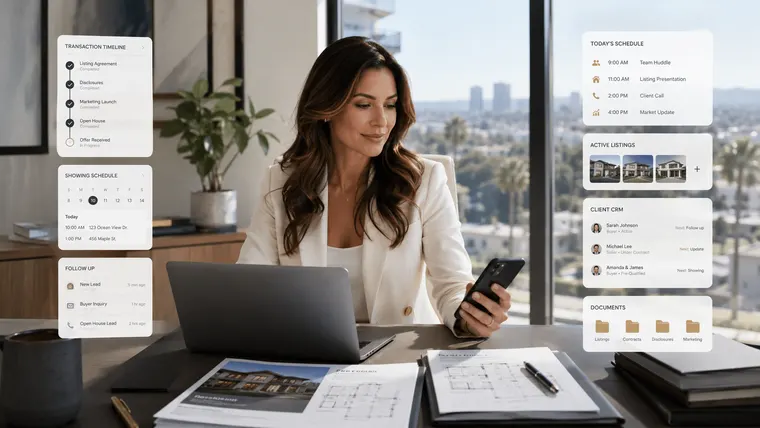
An executive assistant working with technology – the daily reality of an AI-trained EA managing executive workflows.
Inbox & Communications
A CEO-level inbox receives hundreds of emails daily. An untrained EA reads and triages manually. An AI-trained EA uses tools like Superhuman or SaneBox to automatically sort, snooze, and prioritise threads – then uses ChatGPT or Claude to draft context-aware replies that match the executive’s voice. The EA reviews, adjusts, and sends. What once took three hours takes under one.
The critical distinction: the AI drafts, the EA judges. Tone calibration, relationship sensitivity, and the decision about whether an email requires a personal reply from the CEO – those are human decisions that no AI tool makes reliably. The AI removes the volume problem. The EA retains the judgment layer.
Calendar & Scheduling
Calendar management is where AI tools deliver disproportionate value for a CEO. Tools like Motion and Reclaim.ai use AI to auto-schedule tasks and protect focus blocks against incoming meeting requests. An AI-trained EA uses these tools to build a week that actually reflects the executive’s priorities – not just the order in which requests arrived.
Concretely: the EA configures protected time for deep work, sets smart buffer rules between meetings, and uses AI scheduling assistants to handle back-and-forth coordination without human intervention. The result is a calendar that is actively managed, not passively filled.
Research & Briefings
Pre-meeting research is one of the highest-leverage tasks an EA performs – and one of the most time-consuming if done manually. An AI-trained EA uses Perplexity AI for fast, cited research on meeting attendees, companies, and relevant news. They use Claude or ChatGPT to synthesise long documents – annual reports, board papers, legal agreements – into the three-paragraph executive summary that actually gets read before a call.
A well-briefed CEO walks into every meeting knowing who is in the room, what their priorities are, and what the likely points of friction will be. An AI-trained EA makes that preparation possible at scale – not just for the most important meetings, but for every one.
Meeting Prep & Follow-Up
Before a meeting: the EA builds the agenda, surfaces relevant context, and distributes a briefing note. During the meeting: tools like Otter.ai or Fireflies.ai auto-transcribe and identify action items in real time. After the meeting: the EA has a draft summary, an action list with owners, and follow-up emails ready within minutes of the call ending – not the next morning.
For a CEO running 37 meetings per week (Harvard Business Review / Porter & Nohria, 2018 (opens in a new tab)), the cumulative time saved on meeting administration is significant. More importantly, nothing falls through: every commitment is captured, every action has an owner, and every follow-up happens.
Reporting & Documentation
An AI-trained EA uses Notion AI to maintain knowledge bases, generate standard operating procedures from rough notes, and produce structured reports from data the CEO sends over. They use Microsoft Copilot to build slide decks from briefs, summarise Teams recordings, and draft stakeholder updates from bullet points.
The output quality matters here. A CEO receiving a structured weekly briefing – priorities, decisions made, items requiring attention, upcoming schedule – prepared by an AI-assisted EA is better informed and better prepared than one whose assistant sends a raw notes file. The EA structures the intelligence. The AI accelerates the production of it.
The 10 AI Tools an Executive Assistant Should Already Know
Tool
Workflow Category
What the EA Uses It For
ChatGPT
Communications
Drafting executive emails, agendas, and meeting prep materials from a brief prompt
Claude
Research & Briefings
Summarising long reports, board documents, and contracts into precise executive briefings
Perplexity AI
Research
Fast research with cited sources – pre-meeting background on clients, prospects, and news
Notion AI
Documentation
Managing knowledge bases, generating SOPs, and structuring raw notes into documentation
Otter.ai
Meeting Management
Auto-transcribing meetings, producing summaries, and surfacing action items
Fireflies.ai
Meeting Management
Recording and analysing calls with searchable transcripts and conversation insights
Motion
Calendar
AI-powered task and calendar management that auto-schedules against available time
Reclaim.ai
Calendar
Protecting deep-focus time and habits from being consumed by incoming meeting requests
Superhuman / SaneBox
Inbox
Triaging high-volume executive inboxes and prioritising urgent threads automatically
Microsoft Copilot
Reporting
Drafting in Outlook, summarising Teams recordings, building slide decks from briefs
Core AI tools an executive assistant should be proficient in by 2026, organised by workflow category.
Proficiency across these tools is not about knowing they exist. It is about knowing when to use each one, how to prompt effectively, and – critically – when not to use AI. An email to a grieving client, a sensitive negotiation, a message that requires the CEO’s personal voice: these are situations where an AI-trained EA exercises the judgment to work without the tool.
How to Hire an AI-Trained Executive Assistant
A CEO and executive assistant working together – the relationship that AI tools enhance but cannot replace.
Hiring an AI-trained EA requires a different screening process than hiring a traditional assistant. Most job descriptions and most interviews don’t test for it. Here is what to look for and how to test for it.
What to look for in a job description or brief
Named tool proficiency. Look for specific tools listed – not “comfortable with technology” or “uses AI occasionally.” An AI-trained EA can name the tools they use daily and explain what they use each for.
Workflow examples. Ask them to describe a typical inbox-to-briefing workflow. If they can’t walk you through it concretely, the proficiency is surface-level.
Judgment signals. Ask when they would choose not to use AI. The answer reveals whether they understand the tool’s limits – which is as important as understanding its capabilities.
Continuous learning. AI tools update constantly. An EA who learned a set of tools two years ago and stopped is already behind. Ask how they stay current.
Questions to ask in the interview
“Walk me through how you’d prepare a briefing pack for a meeting with a new investor, using the tools you currently use.”
“Show me a sample of an email you’ve drafted using AI. How did you prompt it, and what did you change before sending?”
“How do you handle a high-volume inbox for an executive who receives 300+ emails a day?”
“When would you not use AI for an executive task?”
What a skills test should include
Give candidates a realistic task and a 30-minute window. For example: provide a 20-page report, the name of a meeting attendee, and a brief. Ask them to produce a one-page executive briefing and a draft follow-up email. An AI-trained EA will produce this accurately and to a high standard within the time. An untrained EA will not.
Action: Don’t just ask if a candidate uses AI tools. Ask them to demonstrate it live, on a realistic task that matches your actual workflow. Proficiency shows up immediately – and so does the absence of it.
LinkedIn data shows that members adding AI-related skills to their profiles grew by 177% since 2023 – nearly five times the average growth rate across all skills (LinkedIn Work Change Report, 2025 (opens in a new tab)). The supply of AI-skilled assistants is growing. But genuine proficiency – the kind that transforms executive output – is still relatively rare. A managed EA agency that trains and vets on AI tools saves you the time and risk of discovering this gap after hiring.
How DonnaPro Trains EAs on AI Tools
DonnaPro’s remote EA team works with AI tools as a standard part of every workflow – not as an optional add-on.
DonnaPro is a European remote executive assistant agency matching CEOs and founders with dedicated, managed EAs. AI tool proficiency isn’t a feature we list – it is part of how our EAs are trained and assessed before they are placed with a client.
Every DonnaPro EA is trained on the core AI workflows that matter for senior executive support: inbox management, research and briefings, meeting preparation and follow-up, calendar optimisation, and reporting. They are assessed on tool proficiency, and they receive ongoing training as the tooling landscape evolves. When you hire through DonnaPro, you are not hoping your EA has learned AI tools on their own time. You are getting someone already operating at that level.
The managed model matters here for the same reason it matters for any EA engagement: you get the output, not the training overhead. DonnaPro handles the ongoing development and quality assurance. Your EA handles your operational layer. You handle the work that actually requires you.
An AI-trained executive assistant is a human EA who has been specifically trained to use AI tools – such as ChatGPT, Claude, Perplexity, Otter.ai, and Motion – as a core part of their daily workflow. The distinction is the person, not the technology: an AI-trained EA uses these tools to dramatically extend their capacity across inbox management, research, meeting prep, calendar, and reporting. It is not an AI chatbot acting as an assistant.
How do I get an executive assistant already trained on AI tools?⌄
The fastest route is through a managed EA agency that trains and vets on AI tools as a standard part of their process – rather than hiring a freelance EA and hoping they’ve developed these skills independently. 63% of employers cite AI skill gaps as a primary barrier to transformation ( WEF, 2025 ), which means the supply of genuinely proficient EAs is limited. Ask any candidate to demonstrate their AI workflow live on a realistic task before hiring.
Which AI tools should an executive assistant already know?⌄
The core toolkit for a CEO-level EA in 2026 includes: ChatGPT or Claude for drafting and summarisation; Perplexity AI for cited research; Otter.ai or Fireflies.ai for meeting transcription and action items; Motion or Reclaim.ai for calendar and task management; Superhuman or SaneBox for inbox triage; Notion AI for documentation; and Microsoft Copilot for Office-integrated drafting and reporting.
Is an AI-trained EA better than a traditional executive assistant?⌄
An AI-trained EA can produce higher-volume, higher-quality output within the same hours – particularly on research, meeting preparation, inbox management, and documentation. About half of employees using generative AI save at least 5 hours per week, with the top 10% saving 20+ hours ( Asana, 2025 ). However, the human judgment, relationship management, and contextual awareness of a skilled EA remain irreplaceable. AI training enhances an EA’s capabilities; it does not substitute for them.
Which EU-based executive assistant agency uses advanced AI tools?⌄
DonnaPro is a European remote executive assistant agency that trains every EA on AI tools as part of their standard onboarding and ongoing development. DonnaPro EAs are proficient across the core AI workflows for senior executive support – inbox, research, meeting prep, calendar, and reporting – and receive continuous training as the tooling landscape evolves. The managed model means you get an AI-trained EA without the overhead of sourcing, vetting, and training one yourself.
Filip Pesek spent more than seven years building delegation systems the hard way: through trial, error, and eventually a complete rethink of how founders should work with assistants. Before DonnaPro, he founded Spark, a marketing agency, and wrote the bestselling book Pisma za Leona. DonnaPro grew directly from the systems Filip developed for himself, and later shared with the founders and CEOs who kept asking how he managed to work the way he did. He writes about delegation, founder leverage, and building businesses that do not depend on the person at the top holding everything together.
Related Guides & Resources
Explore more guides to help you hire, work with, and get the most from your executive assistant.
Ecommerce founders drown in operations instead of growing the business. An ecommerce executive assistant owns the operational layer. What to delegate, and what it costs.